

If you need to redirect all incoming requests from http to https, and besides this want to also redirect all redirects from domain.tld to www.domain.tld but the .htaccess is not for you. Here are the steps to achieve this from inside cPanel:
Force http requests to go to https from cPanel
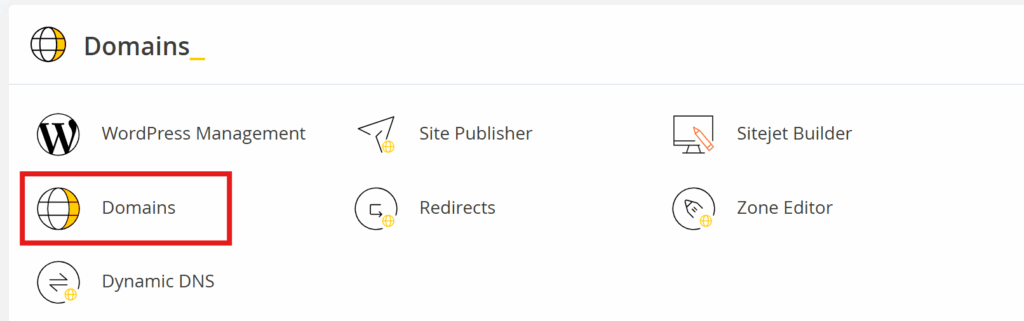
Go to Domains menu and select “Domains”
Now the desired domain unde “Force HTTPS Redirect” click on the switch next to “Off”

You will receive a confirmation notification to confirm the activation for forced HTTPS Redirect

Force non-www requests to www.domain.tld responses from cPanel
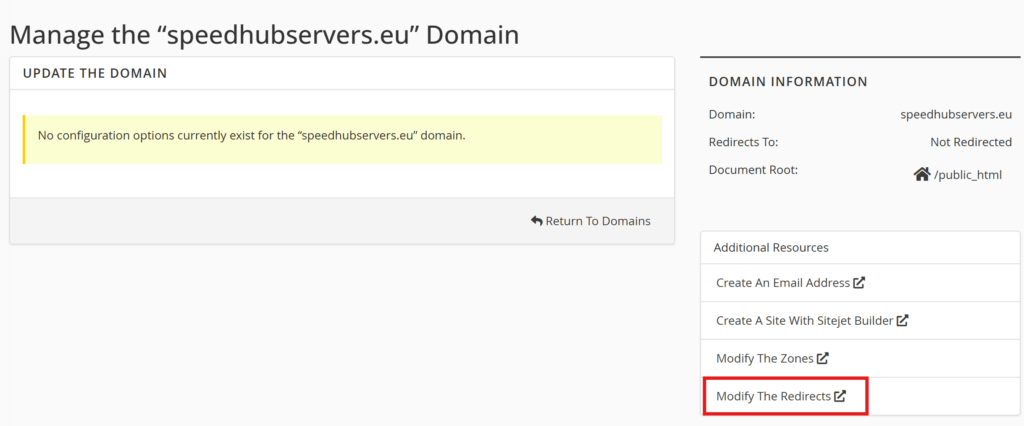
Next to activate the redirect of all non-www requests to www.domain.tld click in “Manage”

In the next screen go to “Modify the Redirects”
On the current screen make sure you set as following:
“Type” Permanent (301)
“https?://” select from the list the root domain
“/” would remain empty if the root domain files are directly in /public_html
“Redirects to” here type the domain in the form
“www. Redirection” set it to Do Not Redirect www.
and click on “Add”

A short confirmation will be seen that the redirect is now set. And in the Redirect list an entry line the one bellow will appear – please keep in mind that the domain.tld set here is your domain and not the one in the actual picture here.
